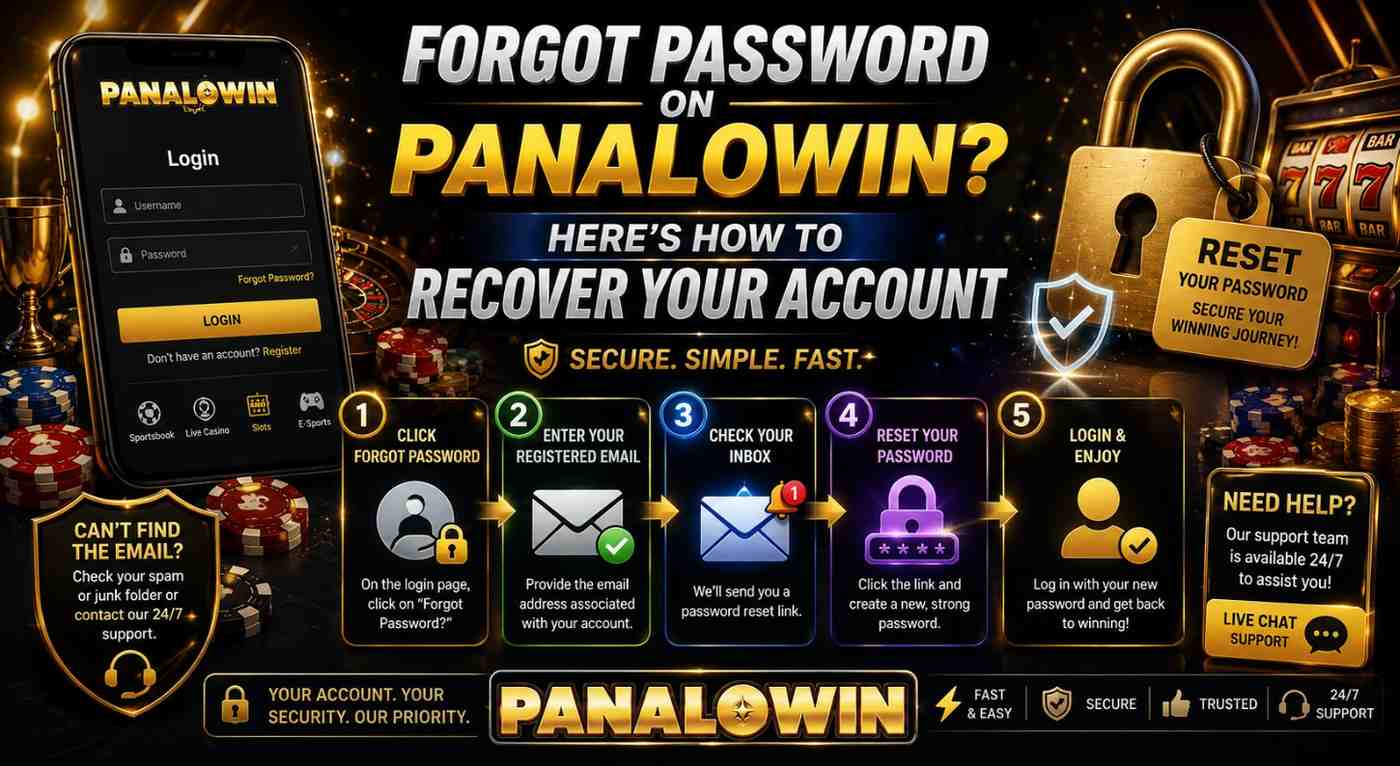
Man, forgetting your password on Panalowin sucks, right? One minute you’re about to jump into your favorite slots or check if that bonus hit, and the next you’re staring at a login screen that won’t budge. It happens to all of us. The cool part is fixing it is actually pretty easy and safe. I’ll walk you through it exactly how I’d tell a buddy who’s stuck.
How the Password Reset Works on Panalowin
Panalowin is that mobile-first spot with heaps of Panalowin Slots Game, live casino tables, and betting action all hooked up with Panalobet. Your account has your deposits, winnings, and any active bonuses, so they don’t mess around with security. The forgot-password tool is built to let you reset things fast without leaving your info hanging out there.
Straightforward Steps to Get Back In
- Go to the Real Website Just open your browser and type in panalowin.net. Skip any sketchy links from texts or ads – always go straight to the official page.
- Hit the Forgot Password Link On the login screen you’ll see “Forgot Password?” sitting right below the password box. Click it and you’re already on the recovery page.
- Type in Your Details Enter the username, mobile number, or email you used when you signed up. Most players here in the Philippines just use their mobile number and it works like a charm.
- Verify It’s Really You They’ll fire off a One-Time Password (OTP) by text or shoot a reset link to your email. Punch in the code or click the link quick – they only last about five to ten minutes.
- Set a Fresh Password After it verifies, create a strong new one. At least eight characters, mix in some capitals, lowercase, numbers, and a symbol or two. Don’t use your birthday or anything too obvious like “password123”. Type it twice to confirm and you’re good.
- Log Back In Head back to the main Panalowin Login, use your username and the new password, and boom – your balance, games, and bonuses should all be there waiting.
If your phone number and email are still the same as when you signed up, the whole thing usually takes less than five minutes.
What to Do When It Gets Annoying
Sometimes the OTP or email just doesn’t show up. Check your spam folder, make sure your phone has signal and enough load, then wait a minute and ask for a new one.
If it keeps saying the details are wrong, go back and double-check exactly what you put in when you first joined. If you’ve changed your number or email since then, you’ll need to hit up support.
Too many wrong tries? The system might lock the account for 15-30 minutes – it’s just their way of keeping things secure. While you wait, clear your browser cache or try logging in from another phone or Wi-Fi.
Quick Tips to Keep Things Secure After You’re Back
Once you’re in, spend thirty seconds making it safer. Turn on two-factor authentication if you see it in the settings. Grab a password manager so you don’t have to remember a million strong passwords. Never share your login with anyone, and get in the habit of checking your account activity now and then. If your contact info changes, update it in your profile right away.
When You Need to Talk to Support
If the steps still don’t work – maybe the account looks weird or the codes just refuse to arrive – don’t stress. The support team is actually pretty quick. Live chat is right there on the site or in the app and they usually reply in a couple of minutes. Or just email support@panalowin.net with your username and a short note about what’s going on. They keep everything private.
Bottom Line
Resetting your Panalowin password is quick, safe, and made so you can get back to the fun without a big headache. Follow these steps and you should be sorted in no time. The team’s around 24/7 if you need a hand.
Haven’t joined yet? It’s worth checking out – the welcome bonuses are decent and there are loads of games. Just remember to play responsibly and only spend what you can comfortably afford.